
Download Podcraftr – AI‑Powered Text‑to‑Podcast Converter
Overview
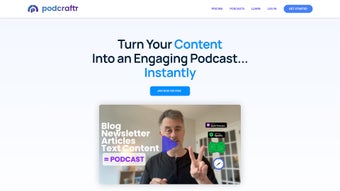
Podcraftr is an innovative AI‑based web application that transforms any written content—blog posts, newsletters, stories, or even lengthy emails—into polished, ready‑to‑publish audio podcasts. The platform removes the technical barrier that traditionally separates writers from the podcasting world. No microphone, no editing suite, and no audio‑production experience are required; simply paste your text, select a voice, and let the engine handle the rest.
Podcraftr automatically adds professional intro and outro music, smooth transitions, and high‑quality speech synthesis, delivering a finished episode that sounds as if it were recorded in a studio. For creators who want a personal touch, the tool also supports custom voice cloning, allowing you to narrate your own material in a natural‑sounding rendition of your voice. In addition, Podcraftr integrates personalized advertising slots, giving you the ability to monetize each episode without interrupting the listener experience.
Once the podcast is generated, the platform publishes it across major directories—Apple Podcasts, Spotify, Google Podcasts, and more—so your audience can discover the content wherever they listen. Whether you’re a blogger looking to repurpose articles, a marketer seeking a new channel for thought leadership, or an educator wanting to give students audio lessons, Podcraftr offers a secure, fast, and free‑to‑try solution that brings text to life. The service is built on GDPR‑compliant infrastructure, meaning all uploads, voice models, and generated audio are encrypted in transit and at rest.
Users also benefit from a transparent pricing model: the free tier provides generous monthly minutes for casual creators, while premium plans unlock higher‑quality voices, priority rendering, and advanced analytics. With its intuitive dashboard, multi‑language support, and AI‑driven quality controls, Podcraftr stands out as a versatile tool for anyone looking to expand their content strategy into the booming audio market.
Key Features & How It Works
- AI Speech Synthesis: Choose from a library of natural‑sounding voices or upload a voice sample to create a custom narrator that matches your brand.
- Automatic Intro/Outro Music: Built‑in royalty‑free tracks are added automatically, with options to upload your own branding music.
- Smart Audio Transitions: Seamless fades and segment breaks keep the listening experience fluid and professional.
- Personalized Advertising Slots: Insert dynamic ad inserts that target listeners based on geography, device, or listening history.
- One‑Click Publishing: Export to MP3 or push directly to Apple Podcasts, Spotify, Google Podcasts, and Stitcher with a single click.
- Multi‑Format Input: Paste plain text, upload DOCX, PDF, or import from a URL to convert any written material.
- Secure Cloud Processing: All audio rendering happens in encrypted servers, ensuring your content remains private.
- Version Control & Updates: Keep a history of generated episodes and receive automatic software updates without manual intervention.
- Multi‑Language Support: The AI engine can synthesize speech in over 30 languages, allowing you to reach global audiences with localized podcasts.
- Analytics Dashboard: Real‑time insights on plays, listener demographics, and ad performance help you fine‑tune future episodes.
Using Podcraftr begins with a simple workflow. After signing up, you land on the dashboard where a large text box invites you to paste or upload your content. The AI scans the document, identifies headings, paragraphs, and bullet points, and suggests natural pauses to mimic a human narrator’s cadence.
Next, you select a voice—either a pre‑built option or your custom‑cloned voice. The platform then renders the audio in the cloud, typically completing a 10‑minute script within minutes. While the engine works, you can preview a short sample, adjust speech speed, or add background music from the built‑in library.
Once satisfied, you click “Generate Podcast,” and Podcraftr stitches together the final episode, complete with intro, outro, transitions, and any ad slots you configured. The finished file can be downloaded instantly or scheduled for automatic distribution across your chosen podcast directories. The AI model continuously learns from user feedback, improving pronunciation, intonation, and language‑specific nuances over time.
For power users, bulk‑upload capabilities let you queue multiple scripts, and the system will process them sequentially, respecting your allocated rendering minutes. The entire process is designed to be secure (HTTPS, GDPR‑compliant) and free of hidden fees; a basic plan offers generous monthly minutes, while premium tiers unlock higher‑quality voices and priority rendering. This blend of automation, customization, and analytics makes Podcrafter a comprehensive solution for turning any text into a broadcast‑ready podcast.
Getting Started: Installation, Setup, and Compatibility
Installation & Account Creation
Podcraftr is a web‑based app, so there is no traditional download or installation required on Windows, Mac, Android, or iOS devices. To begin, visit podcraftr.com and click the “Sign Up Free” button. The registration process is straightforward: provide an email address, create a strong password, and verify your account via a confirmation link. For teams, you can invite collaborators and assign roles (admin, editor, viewer) directly from the dashboard. Once logged in, the interface greets you with a clean, responsive design that adapts to desktop browsers (Chrome, Firefox, Edge, Safari) and mobile browsers on Android and iOS, ensuring you can generate podcasts on the go.
System Requirements & Operating System Support
Because Podcraftr runs entirely in the cloud, it is compatible with any operating system that supports a modern web browser. This includes Windows 10/11, macOS Monterey and later, Linux distributions, as well as mobile platforms such as Android 9+ and iOS 13+. The service requires a stable internet connection (minimum 5 Mbps recommended) to upload source files and stream the generated audio for preview. No additional plugins or software installations are needed, making the tool both secure and low‑maintenance.
Step‑by‑Step Usage Guide
- Upload or Paste Text: Use the “New Podcast” button, then either drag‑and‑drop a document or paste raw text into the editor.
- Select a Voice: Browse the voice library, listen to samples, or upload a voice sample for custom cloning.
- Configure Audio Elements: Choose intro/outro music, set transition styles, and add ad slots with target parameters.
- Preview & Edit: Click “Play Sample” to listen to a 30‑second excerpt; adjust speed, pitch, or pause points as needed.
- Generate Episode: Hit “Generate Podcast.” The cloud engine processes the file; progress is displayed in real time.
- Download or Publish: Once rendering is complete, download the MP3 or click “Publish” to send the episode to your chosen directories.
- Monitor Analytics: Track listens, ad impressions, and listener demographics from the “Analytics” tab.
Podcraftr also offers regular updates that improve voice quality, add new music tracks, and expand directory integrations. These updates are applied automatically on the server side, so you never need to download a patch or restart the application. The platform’s secure architecture ensures that all your content, voice models, and analytics data are encrypted both in transit and at rest, meeting industry standards for data protection. For enterprises, Podcraftr provides SSO integration and API access, allowing you to embed the text‑to‑audio conversion directly into your existing content pipelines.
Pros, Cons, and Frequently Asked Questions
Pros
- Zero‑setup: No microphone, studio, or editing software required.
- AI‑driven voices sound natural and can be customized to match your brand.
- Automatic intro/outro music and transitions save time.
- One‑click publishing to all major podcast directories.
- Personalized ad insertion creates new revenue streams.
- Fully cloud‑based, works on any OS with a modern browser.
- Secure, GDPR‑compliant processing of all audio files.
- Multi‑language support expands reach to global audiences.
- Real‑time analytics help you refine content strategy.
Cons
- Advanced voice cloning requires a premium subscription.
- Large batch processing may be slower during peak usage times.
- Limited offline capabilities; an internet connection is mandatory.
- Free tier imposes a monthly minute cap that may not suit heavy podcasters.
- Custom branding for intro/outro music is limited to royalty‑free options in the free plan.
FAQ
Can I use my own background music?
Yes. Podcraftr allows you to upload royalty‑free tracks or your own branded music for both intro and outro sections. The file must be in MP3 or WAV format and under 20 MB.
Is the generated audio copyrighted?
All audio produced by Podcraftr is owned by you. The AI voice models are licensed to you for commercial use, and any royalty‑free music included remains under its original license.
How does personalized advertising work?
You can define ad slots within the episode and upload ad copy or audio files. Podcraftr’s ad engine can target listeners by region, device type, or listening platform, inserting the appropriate ad at runtime.
What is the pricing model after the free tier?
Podcraftr offers a subscription‑based model: the Basic plan ($9.99/month) adds 5 hours of rendering, the Pro plan ($29.99/month) includes 20 hours, custom voice cloning, and priority support. Annual discounts are available.
Is there a way to export transcripts of my podcasts?
Yes. After generating an episode, you can download a synchronized transcript in TXT or SRT format, which is useful for SEO and accessibility compliance.
Conclusion & Call to Action
Podcraftr bridges the gap between written content and the booming audio market, offering a secure, AI‑driven solution that eliminates the technical hurdles of traditional podcast production. Its blend of automatic music, voice synthesis, and one‑click distribution makes it an attractive option for bloggers, marketers, educators, and any creator who wants to reach listeners without investing in studio gear. While the free tier provides ample testing space, power users may find value in the premium plans for unlimited minutes and custom voice cloning. If you’re ready to repurpose your articles, newsletters, or stories into engaging podcasts, download Podcraftr today and start turning text into audio gold in minutes.
The platform’s continuous improvement roadmap promises even more sophisticated voice models, deeper analytics integrations, and expanded monetization options such as dynamic sponsorship matching. By adopting Podcraftr now, you position your brand at the forefront of the audio‑first era, gaining a competitive edge that can boost SEO, increase dwell time, and open new revenue streams. Don’t let your written expertise sit idle—let Podcraftr amplify it across the world’s most popular listening platforms.



.png)



